One studio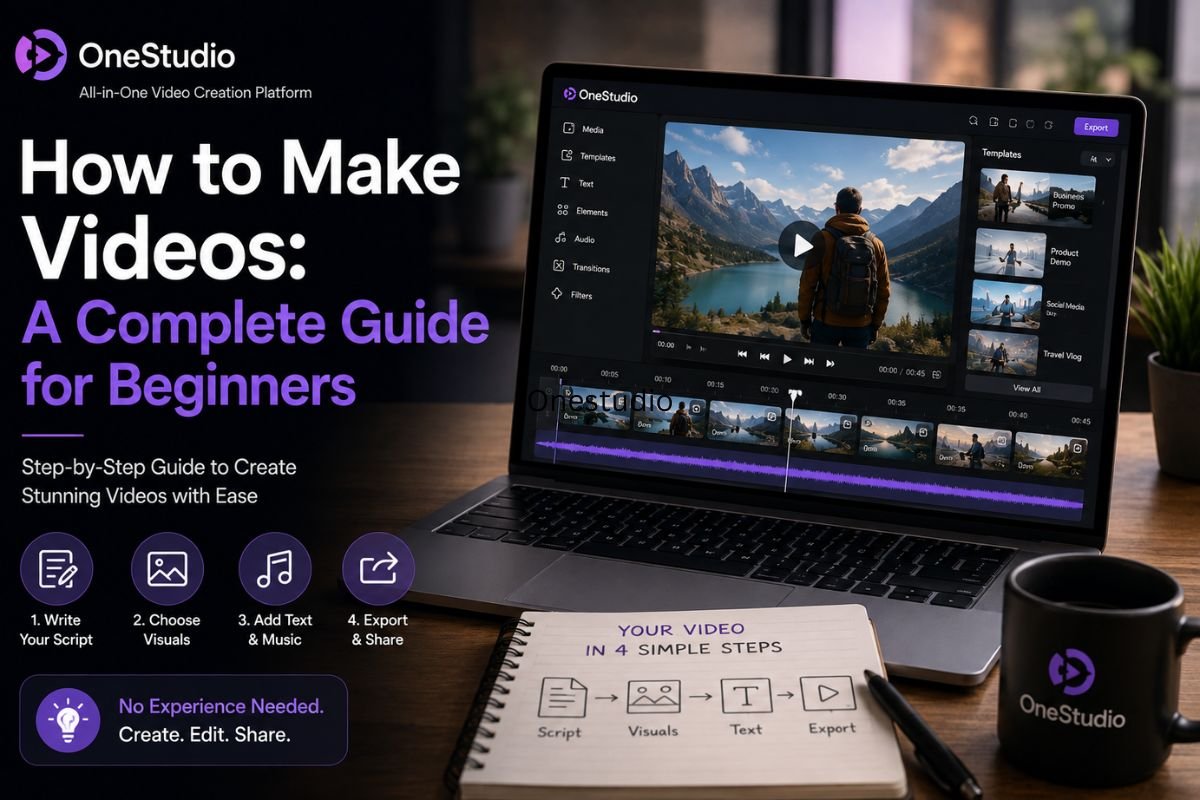
Making a video used to feel like a big project. You needed a camera, good lighting, editing software, and a lot of patience. For many beginners, this felt too hard, so the idea of creating videos was often left aside.
Today, things are very different. With the help of artificial intelligence, anyone can make a video, even with zero experience. You don’t need fancy equipment or years of editing skills. You just need an idea, and AI takes care of the rest.
In this beginner-friendly guide, we will walk you through everything you need to know about making AI videos, step by step. By the end, you will understand how these tools work and how you can start creating your own videos today.
Why Learn to Make AI Videos?
Video is one of the most powerful ways to share a message. People watch more videos than they read text, and businesses, creators, and everyday users are all using video content more than ever before.
Learning how to make AI videos gives you a big advantage because:
- It saves time. What used to take hours or days can now be done in minutes.
- It saves money. There is no need to hire actors, book studios, or buy expensive cameras.
- It is beginner-friendly. Most tools are designed for people with no editing background.
- It opens new opportunities. You can create content for social media, marketing, storytelling, and more.
Whether you want to start a YouTube channel, promote a small business, or simply try something new, learning this skill can be very useful.
What You Need to Get Started
The good news is that you don’t need much to begin. Here is what helps:
- A simple idea or script. This can be just a few lines describing what you want your video to show.
- Images or product photos (optional). If you are making a product video or ad, having a clear photo helps a lot.
- A good AI video tool. This is the most important part, since the tool does most of the creative work for you.
- A little patience. AI tools are powerful, but trying a few versions before getting the perfect result is normal.
That’s it. No cameras, no studios, and no editing software needed.
Step-by-Step: How to Make Your First AI Video
Let’s break the process down into simple steps that any beginner can follow.
Step 1: Decide What Your Video Is About
Before opening any tool, think about your goal. Is it a product ad, a short story, a social media clip, or an explainer video? Having a clear purpose makes the next steps much easier.
Step 2: Write a Simple Script or Description
You don’t need to be a professional writer. Just describe what should happen in the video, in plain and simple words. The clearer your description, the better the AI can understand what you want.
Step 3: Choose an AI Video Generator
This is where the real magic happens. An AI Video Generator takes your script or image and turns it into a full video, complete with scenes, motion, and sometimes even voiceovers. Beginners love this step because it removes the need for any technical editing skills.
Step 4: Let the AI Build the Scenes
Once you enter your script or upload your photo, the AI creates the visuals. It selects scenes, adds movement, and arranges everything to match your idea. This step usually takes just a few minutes.
Step 5: Add Voice and Music
Many AI tools also offer natural-sounding voiceovers and background music. You can select a tone that matches your video, whether it’s friendly, formal, or exciting.
Step 6: Review and Edit
After the first version is ready, watch it carefully. Most platforms let you tweak scenes, change the voice, or adjust the pacing until it feels just right.
Step 7: Export and Share
Once you’re happy with the result, download your video and share it wherever you like, social media, your website, or an ad campaign.
Common Types of AI Videos Beginners Can Create
AI tools are flexible, which means beginners can experiment with many types of content:
- Product ads – Turn a simple photo into a full marketing video.
- Social media clips – Create short, catchy videos for platforms like Instagram and TikTok.
- Explainer videos – Show how a product or service works in a simple, clear way.
- Story-based videos – Build short stories with characters and scenes.
- Voiceover content – Add a professional-sounding voice to any video without hiring a voice actor.
Trying different types helps beginners understand which style works best for their goals.
Tips to Get Better Results as a Beginner
Here are some simple tips that can make a big difference in your final video:
- Keep your script short and clear. Long, confusing scripts often lead to messy results.
- Use good quality images. If you’re uploading a photo, make sure it’s clear and well-lit.
- Experiment with styles. Try different tones and visuals to see what fits your idea best.
- Don’t be afraid to redo it. Most tools let you regenerate scenes until you’re happy with them.
- Add captions. Many viewers watch videos without sound, so captions help your message reach more people.
Common Mistakes Beginners Should Avoid
When starting out, it’s easy to make small mistakes. Here are a few to watch out for:
- Writing scripts that are too long or unclear – This can confuse the AI and lead to messy scenes.
- Skipping the review step – Always watch your video before sharing it, small tweaks can make a big difference.
- Using low-quality images – Blurry or dark photos can affect the final video quality.
- Trying to do too much in one video – Keep your first few videos simple while you learn how the tool works.
Choosing the Right Platform
With so many tools available, picking the right one can feel confusing for beginners. Look for a platform that is easy to use, offers natural voiceovers, supports different video styles, and gives you full control over edits without needing technical skills.
Final Thoughts
Making AI videos is no longer something only professionals can do. With the right tools and a little practice, beginners can create polished, professional-looking videos in just a few minutes. From simple social media clips to full marketing videos, the possibilities are endless.
If you’re ready to start your journey, exploring a platform like Onestudio can be a great first step. It brings together powerful AI tools in one place, making it easy for beginners to write, generate, and edit videos without any prior experience.
The world of video creation is changing fast, and now is the perfect time to learn. With patience, practice, and the right AI tools by your side, you’ll be creating professional videos before you know it.

 Seo Bix
 Alex S