Rohan Dakave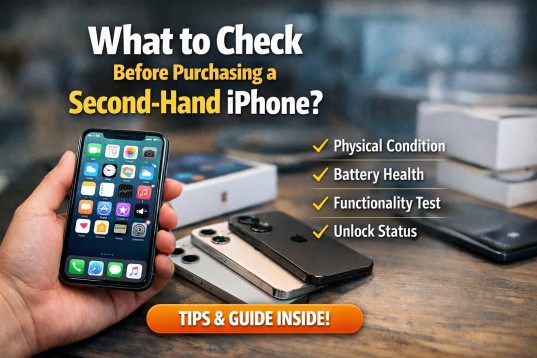
Buying a pre-owned smartphone can be a smart way to save money without compromising on performance. Many buyers choose a second-hand iPhone because of its premium build quality, long software support, and reliable performance. However, purchasing a used device requires careful inspection to avoid hidden issues. Understanding what to check before making a purchase can help you make a confident and secure decision.
NOTE :- A wide range of used mobile iphone in france was offered with complete functionality checks and clear device history. Performance, storage capacity, and cosmetic condition were thoroughly reviewed before sale. Affordable pricing was provided for budget-conscious buyers. Shoppers were invited to connect with GLP Wireless for dependable choices.
Check the Physical Condition
The first step is to examine the overall physical appearance of the device. Inspect the screen for scratches, cracks, dead pixels, or discoloration. Minor scratches are normal, but deep cracks may lead to display issues later.
Look closely at the body frame for dents or signs of impact. Check the back panel for cracks, especially in glass models. Also, ensure that the buttons including power, volume, and silent switch work smoothly without sticking.
Don’t forget to test the charging port and speaker grills. Dust buildup is common, but excessive damage could indicate improper handling.
Verify the IMEI and Activation Lock Status
Before finalizing the purchase, always verify the device’s IMEI number. You can find it in the settings under General and About. Dialing *#06# also displays the IMEI on the screen. Ensure the IMEI on the device matches the one on the box if available.
Next, check the Activation Lock status. The device should not be linked to the previous owner’s Apple ID. Go to Settings and confirm that the phone is signed out of iCloud. If the Activation Lock is enabled, you will not be able to use the device after resetting it.
This step protects you from purchasing a locked or stolen phone.
Check Battery Health
Battery performance plays a major role in overall usability. Open Settings, then Battery, and tap on Battery Health & Charging. Review the Maximum Capacity percentage.
A battery health above 85 percent is generally considered good for a second-hand device. If the battery health is below 80 percent, you may need a replacement soon. Also, check whether the phone shows any warning message related to battery service.
Battery replacement costs should be factored into the overall deal value.
Test the Display and Touch Response
The display is one of the most important components. Open multiple apps and observe the brightness consistency. Adjust brightness manually to ensure it changes smoothly.
Test touch responsiveness by typing on the keyboard and moving apps around the screen. Make sure there are no unresponsive areas. Check Face ID or Touch ID functionality depending on the model.
For example, if you are buying an iPhone 13, confirm that Face ID works properly in different lighting conditions. If it is an older model like the iPhone 8, verify that the fingerprint sensor responds quickly.
Inspect Camera and Audio Functions
Open the camera app and test both front and rear cameras. Take photos and videos to ensure clarity and proper focus. Switch between portrait, video, and zoom modes to confirm smooth functionality.
Check the speakers by playing music at full volume. Ensure there is no distortion or crackling sound. Also, test the microphone by recording a voice memo and playing it back.
Clear camera quality and strong audio performance indicate that the device has not suffered internal damage.
Confirm Storage and Model Details
Always verify the storage capacity before purchasing. Go to Settings and check the total storage under General and About. Ensure it matches what the seller claims.
Also confirm the model number. This helps you understand whether the phone supports your network carrier and whether it is region-compatible. Some models differ in network bands and features.
For instance, if considering an iPhone 12, confirm whether it supports the required 5G bands in your area.
Check Software and Updates
One advantage of buying an iPhone is long-term software updates. Ensure the device runs a stable version of iOS and check whether it is eligible for the latest update.
Go to Settings and tap Software Update to see if updates are available. A device that still receives updates will remain secure and functional for years.
Also ensure the phone has been factory reset before purchase.
Test Connectivity Features
Connectivity features should not be ignored. Insert your SIM card to test calling and mobile data. Connect to Wi-Fi and Bluetooth to ensure both work properly.
Check GPS functionality using a maps application. If possible, test AirDrop and hotspot features. These checks confirm that the device’s wireless components are fully functional.
Review Warranty or Return Policy
If you are buying from a seller or store, ask whether any warranty is included. Even a short-term warranty provides peace of mind. A return policy is equally important in case you discover issues after purchase.
Certified refurbished sellers often provide limited warranty coverage, which can add value to the deal.
Final Thoughts
Purchasing a second-hand iPhone can be a cost-effective and practical choice when done carefully. By checking the physical condition, verifying IMEI and Activation Lock, reviewing battery health, and testing performance features, you reduce the risk of unexpected problems.
For More Insightful Articles Related To This Topic, Feel Free To Visit: https://blogingers.com/


 Vishal Yadav
 medliva lifesciences