Phineas Arlet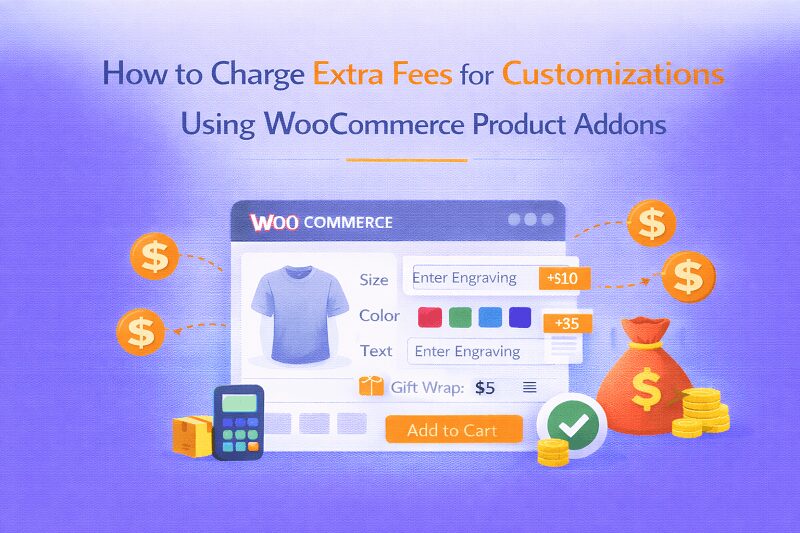
Not every product in an online store is meant to stay the same for every customer. Some shoppers want their name printed on a mug. Others want a specific engraving on a watch, maybe a custom message on a greeting card. These small changes are what make products feel personal.
This is where WooCommerce Product Addons start becoming very useful. Instead of selling just a basic product, store owners can add extra fields where customers select options, type messages, upload files, or choose upgrades. Each option can have its own price too, which helps increase the order value without forcing customers into buying bundles they don’t need.
A well-planned Product Add on WooCommerce setup allows stores to offer personalization while still keeping the product page simple. Customers see only the options that matter and choose what they want without confusion.
Why Customizable Products Are Becoming Common in Online Stores
If you look at many modern eCommerce stores, customization has become normal. Buyers expect it now.
For example:
• A clothing store may allow customers to add embroidered names
• A bakery might offer extra toppings or decoration choices
• A printing store lets users upload files for custom prints
• A gift shop may allow engraving or personal messages
Without WooCommerce Product Addons, managing these options manually would be difficult. The plugin makes it possible to attach extra fields directly to the product page so customers can customize before adding the product to the cart.
Important Features to Look for in a Product Addons Plugin
Before choosing a plugin for your store, there are certain features that are almost necessary. A strong Product Add on WooCommerce solution should support the following things.
Multiple field types
A good plugin should offer many field types so you can design the product page properly.
Examples include:
• Text fields for personalization
• Dropdown selections
• Checkboxes for extra features
• Image swatches
• File upload options
• Date and time fields
The Extendons plugin supports 19 different field types, which gives store owners a lot of flexibility.
Flexible pricing models
Different businesses charge differently for add-ons. Some may offer free upgrades while others charge extra.
The plugin allows pricing options such as:
• Free options
• Fixed price addons
• Percentage-based fees
• Quantity-based pricing
• Price per character for text fields
This helps stores control how customization affects the product price.
Conditional logic
Sometimes certain options should only appear when another option is selected.
For example:
Selecting “Gift Wrap” could reveal a message field.
Conditional logic allows the store to show or hide options automatically based on customer selections.
Rule based assignments
Instead of adding options one by one to every product, store owners can assign addon rules to entire categories. That saves a lot of time.
Charging for Custom Text and Personalization
One of the most useful features inside WooCommerce Product Addons is the ability to charge based on how much text a customer enters.
This works very well for stores selling items like:
• Custom mugs
• Printed t-shirts
• Engraved jewelry
• Personalized phone cases
• Gift items
The plugin allows you to enable price per character, meaning every letter the customer enters increases the price slightly.
For example:
If the price per character is $0.50 and the customer types 10 characters, the plugin automatically adds $5 to the product price.
This removes the need for manual price calculations and makes the checkout process accurate.
Setting Up Product Addons in WooCommerce
Installing and configuring WooCommerce Product Addons does not require advanced technical work. Most store owners can set it up within a few minutes.
Installing the plugin
To install the extension from WooCommerce.com:
-
Log in to your WooCommerce account.
-
Navigate to My Subscriptions.
-
Find the plugin and click Add to Store.
-
Follow the installation prompts and activate the plugin.
Once activated, the addon settings will appear inside your WooCommerce dashboard.
Creating product addon rules
After installation, you can start creating rules that control how options appear.
Follow these steps:
-
Go to WooCommerce → Settings → Products → Product Addons.
-
Click Add New Rule.
-
Enter a rule name and enable the rule status.
-
Choose whether the rule applies to products or categories.
-
Set the display order for the rule.
Now the rule is ready to receive fields.
Adding customization fields
Inside each rule, you can add multiple product options.
Click Add New Option and configure things like:
• Field title
• Input type (dropdown, text, checkbox, etc)
• Whether the field is required
• Pricing method
• Character limits
• Tooltip text
If the field is a dropdown or checkbox, you can also add multiple selections inside it.
Each selection can have its own price and display order.
Managing stock for product options
Another helpful feature is option stock management.
For example, if a product addon represents a limited accessory or upgrade, you can track how many are available.
When stock reaches zero, customers will no longer be able to select that option.
This prevents overselling and keeps inventory accurate.
Why Stores Use Product Addons to Increase Revenue
The biggest advantage of WooCommerce Product Addons is how easily it increases average order value.
Instead of selling just a single item, stores can offer small add-ons that customers willingly pay for.
Some examples include:
• Gift wrapping services
• Custom engraving
• Premium materials
• Extra accessories
• Extended warranties
Individually these upgrades may look small, but when many customers choose them the total revenue can increase quite a bit.
Another advantage is improved customer satisfaction. People like buying products that feel personal or tailored to them.
Final Thoughts
Customization has become a standard expectation in many online stores. Customers no longer want only fixed product options. They want flexibility, personalization, and the ability to modify items before buying.
That’s exactly what WooCommerce Product Addons make possible. With multiple field types, flexible pricing methods, conditional logic, and rule-based option management, store owners can transform basic products into customizable ones without complicated development.
A properly configured Product Add on WooCommerce setup does more than add extra fields. It improves the shopping experience, encourages customers to select upgrades, and quietly increases the store’s revenue over time.
For stores selling personalized goods, custom services, or optional upgrades, product addons are no longer optional. They are simply part of running a competitive WooCommerce store today.


 ashton kit
 Alev Digital