 kavy jem
What Browser Extensions Can (and Can’t) Do for Your On-Page SEO
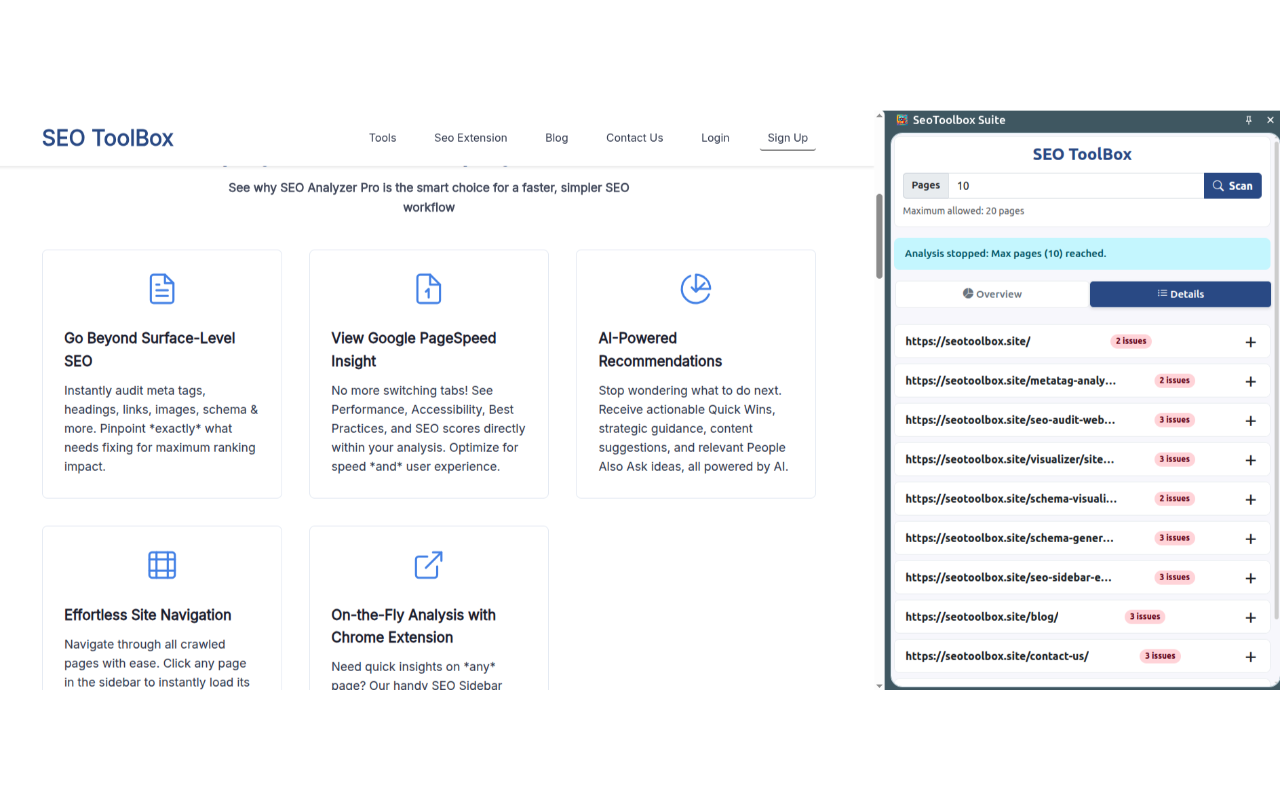
SEO work involves a lot of page-by-page checking, and most browser extensions are perfectly happy to keep it that way. You check one page, click away, and whatever data you had is gone. SEO Toolbox Suite, a Chrome extension from seotoolbox.site, takes a different approach. It scans up to 20 internal pages in a single run, keeps the results visible in a sidebar that stays open while you browse, and does all of it directly in your browser without sending a byte to any external server. This article looks at how on-page SEO extensions actually work, what this one does differently, and where it genuinely fits into a real SEO workflow.
SEO in Context: How SEO Sidebar Extension Changes How You Audit a Page
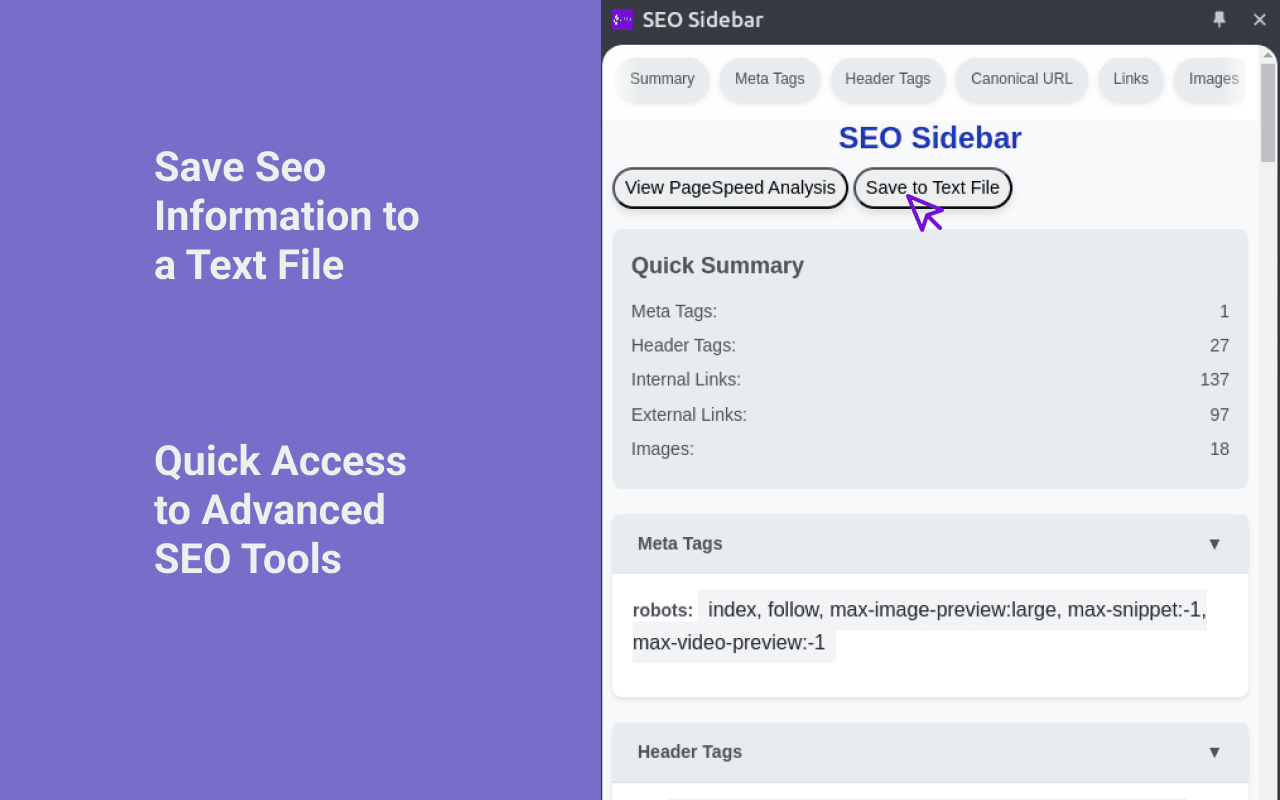
Most SEO extensions make you stop what you are doing. You click the icon, a small popup opens, you scan it, then it disappears the moment you move to another page. That constant reset slows you down more than you realize.
SEO Sidebar Extension takes a different approach. It lives in a persistent side panel and updates in real time as you browse. When you move from the homepage to a category page to a product page, the SEO data updates instantly without closing or refreshing the interface. You stay in context, which makes pattern spotting easier.