Chudasama Outsourcing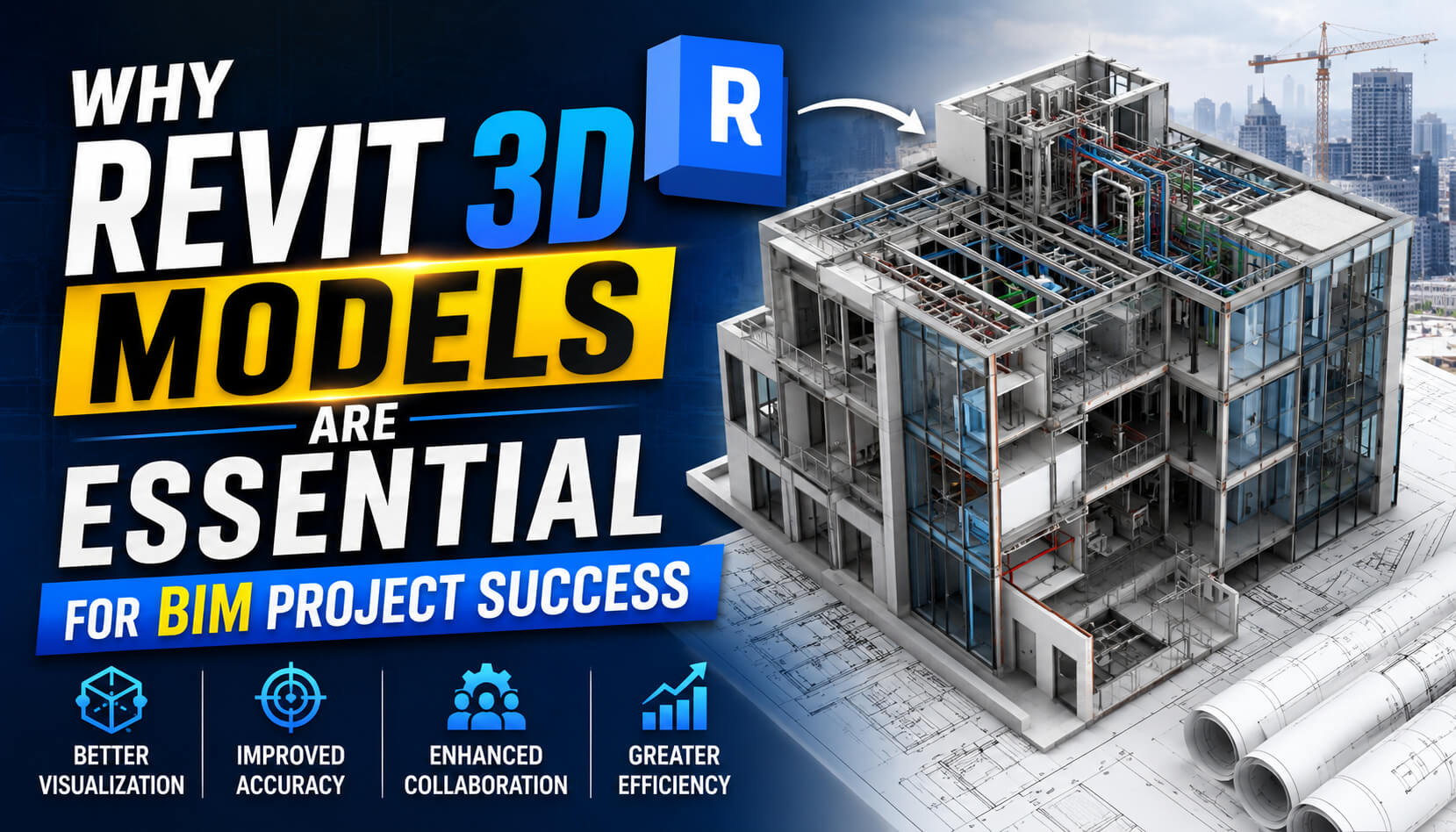
Revit 3D models are essential to Building Information Modeling (BIM) success because they provide a centralized, data-rich environment for design and construction. These models improve stakeholder visualization, enable early clash detection, streamline collaboration, and support accurate cost estimation throughout the entire project lifecycle.
Modern construction projects are incredibly complex ecosystems. Managing the intricate details of architecture, engineering, and construction requires highly coordinated planning and execution. The industry has shifted rapidly toward Building Information Modeling (BIM) to handle these demands. At the core of this transformation is Autodesk Revit, a software platform that has fundamentally changed how buildings are designed, built, and maintained.
Before BIM became the industry standard, teams relied heavily on disconnected 2D drawings. This fragmented approach often led to miscommunications, costly rework, and delayed timelines. Today, intelligent modeling software bridges the gap between different disciplines, ensuring everyone works from a single source of truth.
Understanding how to leverage these tools is critical for any firm looking to stay competitive. This guide explores the foundational role of Revit in modern construction, detailing its benefits, applications across the project lifecycle, and the best practices required to maximize its value.
What exactly are Revit 3D models and how do they differ from 2D CAD?
Autodesk Revit is a specialized software built specifically for Building Information Modeling. A Revit 3D model is a digital representation of the physical and functional characteristics of a facility. Unlike traditional 2D Computer-Aided Design (CAD), which relies on flat lines and polygons to represent objects, Revit uses intelligent, parametric objects.
When a designer places a door in a Revit model, the software understands that the object is a door. It knows the door’s dimensions, material, fire rating, and cost. If a user moves a wall in a Revit model, the attached doors, windows, and structural elements automatically adjust to accommodate the change. This parametric relationship ensures that floor plans, elevations, and sections are always perfectly aligned, significantly reducing the manual updating required in traditional 2D CAD workflows.
What are the key benefits of using Revit 3D models in BIM projects?
Implementing Revit transforms the construction workflow. The software offers distinct advantages that directly contribute to project efficiency and profitability.
How do 3D models improve stakeholder visualization?
Interpreting flat 2D blueprints can be challenging for clients and stakeholders who lack technical backgrounds. Revit 3D models provide highly realistic, navigable representations of a building before construction begins. This clear visualization helps clients understand spatial relationships, lighting, and material choices, enabling them to make informed decisions early in the process.
Why is early clash detection critical for conflict resolution?
In traditional workflows, structural and mechanical clashes often remain hidden until construction crews are on-site. Resolving conflicts during the build phase is incredibly expensive. Revit models allow teams to integrate architectural, structural, and MEP (Mechanical, Electrical, and Plumbing) designs into a single environment. Specialized software can then scan this combined model to identify intersecting elements—such as an HVAC duct running through a steel beam—allowing teams to resolve conflicts digitally before laying a single brick.
What is the advantage of data-rich models?
A Revit model is essentially a visual database. Every element contains embedded information. Facility managers can click on a specific water pump in the model to see its manufacturer, installation date, and maintenance schedule. This data-rich environment ensures that information flows seamlessly from the design team to the eventual building owners.
How does Revit facilitate improved collaboration?
Revit enables multi-disciplinary teams to work concurrently in a shared model. A structural engineer can adjust columns while an architect refines the exterior facade. This real-time collaboration eliminates the information silos that traditionally plague construction projects, ensuring all disciplines remain aligned.
Can Revit models assist with quantity take-offs and cost estimation?
Because Revit models contain precise geometric data and material specifications, estimators can automatically extract accurate quantity take-offs. If a design changes, the software updates the material quantities instantly. This automation reduces human error and allows project managers to maintain strict control over budgeting. Many firms utilize professional Revit 3D modeling services to ensure these models are built with the exact level of detail required for accurate cost estimation.
How do Revit 3D models support the entire project lifecycle?
The utility of a Revit model extends far beyond the initial design phase. It serves as a continuous reference point from concept to demolition.
Enhancing the design phase
During conceptualization, architects use Revit to test different massing options and analyze environmental impacts like solar heat gain. The software allows for rapid iteration. Designers can validate their structural concepts and ensure compliance with local building codes directly within the model.
Streamlining the construction phase
Contractors use the finalized design model to plan construction logistics. The model helps teams sequence construction activities, plan site safety protocols, and coordinate material deliveries. Construction teams can extract precise shop drawings directly from the Revit model, ensuring that on-site execution perfectly matches the intended design.
Empowering operations and maintenance
Once construction concludes, the final “as-built” Revit model is handed over to the facility management team. This model contains all the necessary data for long-term operations. Maintenance personnel can use the model to locate hidden valves, reference warranty information, and plan future renovations with complete visibility into the existing structure.
What are the best practices for utilizing Revit 3D models effectively?
Achieving success with Revit requires more than just installing the software. Organizations must implement strict standards and workflows to maintain model integrity.
Enforcing standardized naming conventions
A disorganized model is difficult to navigate. Firms must establish clear naming conventions for families (Revit components), views, and sheets. Consistent naming ensures that any team member can open the model and immediately understand how the data is structured.
Conducting regular model audits
As project files grow, they can become bloated and slow. BIM managers should conduct regular model audits to purge unused elements, resolve warnings, and ensure the file remains highly responsive. Routine quality control checks prevent minor errors from cascading into major project delays.
Prioritizing training and software integration
Software is only as effective as the people using it. Continuous training is essential to keep staff updated on the latest Revit features. Furthermore, teams must integrate Revit with other essential platforms, such as Navisworks for advanced clash detection or Enscape for real-time rendering. To maintain high standards while managing heavy workloads, many architecture and engineering firms partner with specialized agencies like Chudasama Outsourcing to supplement their internal teams with expert modeling support.
How can teams overcome common challenges in Revit adoption?
Transitioning to Revit involves a steep learning curve. Initial implementation costs can be high, and staff may resist abandoning familiar 2D workflows. To overcome these hurdles, management must champion the transition. Start by implementing Revit on a small, low-risk pilot project. Document the successes and challenges, refine internal standards, and gradually roll the software out to larger teams. Providing comprehensive, ongoing training is the most effective way to reduce friction and build internal confidence.
What are some real-world examples of Revit 3D modeling success?
Complex infrastructure projects frequently demonstrate the power of Revit. For example, during the construction of modern hospital facilities, teams heavily rely on Revit to route complex MEP systems through tight ceiling spaces. By utilizing clash detection, contractors routinely save hundreds of thousands of dollars in avoided rework. Similarly, large commercial office developments use Revit to optimize energy performance, using the model’s spatial data to simulate lighting and heating loads before finalizing the design.
What is the future of Revit and BIM technology?
The capabilities of Revit continue to expand. The integration of Artificial Intelligence (AI) and Machine Learning (ML) will soon automate repetitive modeling tasks, such as generating optimal structural framing layouts. Cloud collaboration, powered by platforms like Autodesk Construction Cloud, is making it easier for global teams to edit models simultaneously without latency issues. Additionally, the rise of Digital Twins—live digital replicas of physical buildings updated via IoT sensors—will rely entirely on accurate, foundational Revit models.
Maximizing Construction Efficiency with Data-Rich Modeling
The transition from traditional drafting to intelligent 3D modeling represents a fundamental upgrade in how we construct the built environment. Revit 3D models provide the visualization, coordination, and data necessary to execute complex projects on time and under budget. By establishing strong internal standards, investing in team development, and recognizing the model as a living database, organizations can fully realize the benefits of Building Information Modeling. Adopting these advanced tools is no longer an optional upgrade; it is a necessity for long-term operational success.
Frequently Asked Questions
What is the main difference between AutoCAD and Revit?
AutoCAD is primarily a digital drafting tool used to create 2D line drawings. Revit is a Building Information Modeling (BIM) software that creates intelligent 3D models where elements (like walls and doors) possess parametric data and automatically update across all project views when modified.
How much does it cost to implement Revit for a business?
Implementing Revit involves purchasing software licenses, which typically operate on a subscription model costing several thousand dollars annually per user. Additional costs include high-performance computer hardware, comprehensive staff training, and the initial time required to build standard templates and custom component libraries.
Can Revit models be used for cost estimating?
Yes. Because Revit models are data-rich, estimators can automatically extract precise material quantities directly from the geometry. This automation significantly reduces the time required for manual quantity take-offs and minimizes human calculation errors.
Who should manage the Revit model during a project?
A designated BIM Manager or BIM Coordinator should oversee the Revit model. This individual is responsible for setting up the project file, enforcing naming conventions, performing regular quality audits, and coordinating data exchanges between different engineering and architectural disciplines.

 Vishwanath rg
 alber melborn