Oliver Jack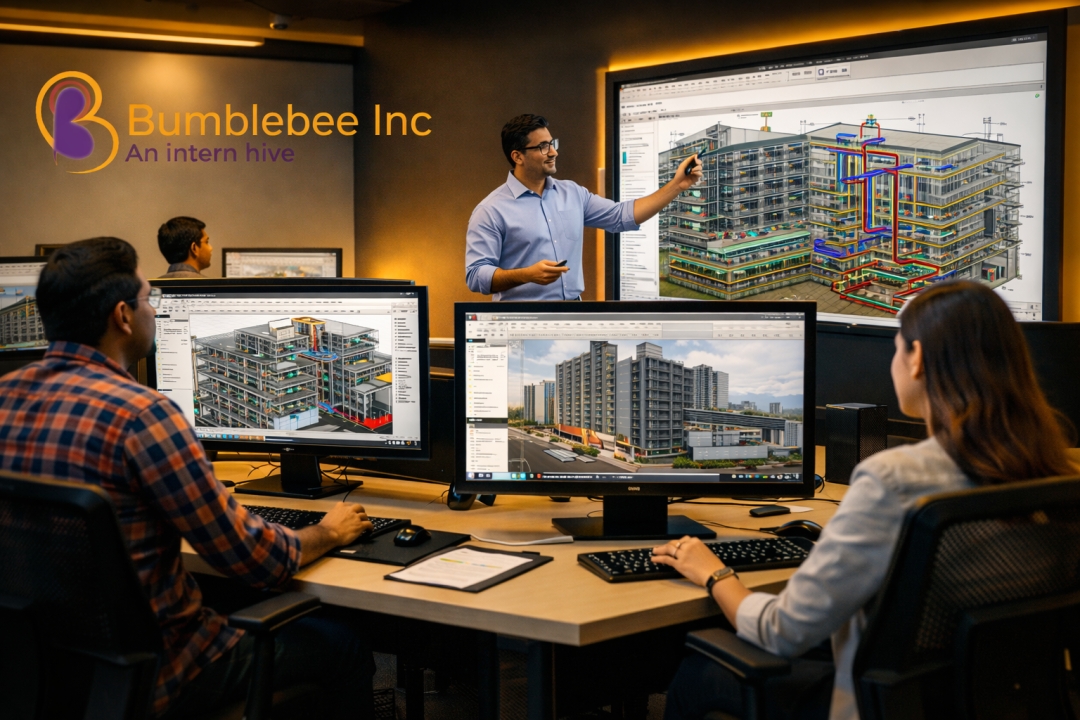
In today’s fast-evolving construction and design landscape, mastering Building Information Modeling (BIM) is no longer optional—it’s essential. Whether you’re a civil engineer, architect, or MEP professional, enrolling in a BIM COURSE IN COIMBATORE can transform your career trajectory. At our BIM-focused training institute in Coimbatore, we’ve designed a structured, practical, and industry-driven learning path that bridges the gap between academic knowledge and real-world application.
Let’s walk you through a step-by-step roadmap that helps professionals like you become BIM-ready with confidence.
Why BIM Skills Are the New Industry Standard
The architecture, engineering, and construction (AEC) industry is shifting toward smarter, data-driven workflows. Traditional 2D drafting is giving way to intelligent 3D modeling, clash detection, and collaborative project delivery.
A well-structured BIM COURSE IN COIMBATORE equips learners with:
- Real-time project coordination skills
- Improved visualization and simulation abilities
- Efficient design-to-construction workflows
- Better collaboration across disciplines
Professionals who invest in BIM today position themselves as indispensable assets in tomorrow’s projects.
Step 1: Building the Foundation with Revit Essentials
Every successful BIM journey begins with mastering Autodesk Revit. This is where you learn how to create intelligent 3D models that carry real-world data.
What You’ll Learn:
- Interface navigation and project setup
- Creating architectural components like walls, doors, and windows
- Structural modeling basics
- Annotation and documentation
For beginners in BIM Courses for Civil Engineers, this stage builds the confidence needed to transition from CAD to BIM seamlessly.
Step 2: Understanding BIM Workflows and Standards
Once you’re comfortable with Revit, the next step is understanding how BIM works as a process—not just a tool.
Key Concepts Covered:
- BIM Levels (LOD 100 to 500)
- Project collaboration and data sharing
- Naming conventions and file management
- Industry standards and protocols
This is especially crucial for those pursuing BIM Courses for Architects, as design coordination plays a central role in project success.
Step 3: Discipline-Specific Specialization
At this stage, learners branch out into their respective domains—civil, architectural, or MEP.
For Civil Engineers:
- Structural modeling and reinforcement detailing
- Quantity take-offs and cost estimation
- Site coordination using BIM tools
For Architects:
- Advanced family creation
- Conceptual design and visualization
- Rendering and walkthroughs
For Mechanical & Electrical Engineers:
- HVAC system modeling
- Electrical layout and load calculations
- Plumbing and fire protection systems
Our BIM Courses for Mechanical & Electrical Engineers are designed to mirror real project scenarios, ensuring hands-on expertise.
Step 4: Introduction to BIM Vantage and Advanced Tools
To stay ahead in the competitive BIM ecosystem, professionals must go beyond basic tools. This is where BIM Vantage and advanced coordination software come into play.
Advanced Learning Includes:
- Clash detection using Navisworks
- Project scheduling (4D BIM)
- Cost estimation (5D BIM)
- Data integration and analytics
This phase transforms learners into BIM coordinators and managers, capable of handling complex, multi-disciplinary projects.
Step 5: Real-Time Project Training
One area where many training programs fall short is practical exposure. We bridge this gap by integrating live project simulations into our curriculum.
What Makes This Step Unique:
- Work on real-world case studies
- Collaborate with peers across disciplines
- Solve design conflicts and coordination issues
- Present BIM models professionally
This hands-on approach ensures that students don’t just learn BIM—they experience it.
Step 6: Soft Skills and Industry Readiness
Technical skills alone aren’t enough. Employers look for professionals who can communicate, collaborate, and lead.
Career-Enhancing Skills:
- Project presentation techniques
- Client communication
- Team collaboration tools
- Interview preparation and portfolio building
Our training doesn’t just prepare you for a job—it prepares you for a career.
Where Most Training Programs Fall Short (And How We Do It Better)
Many high-ranking training pages focus heavily on software features but overlook real industry needs. Here’s how we improve:
- More Practical Exposure: Instead of theory-heavy sessions, we emphasize real project workflows.
- Role-Based Learning Paths: Tailored modules for civil engineers, architects, and MEP professionals.
- Updated Curriculum: Constantly aligned with industry demands and global BIM standards.
- Mentorship by Experts: Learn from professionals actively working on live BIM projects.
Career Opportunities After Completing a BIM COURSE IN COIMBATORE
The demand for BIM professionals is growing rapidly across India and globally.
Top Roles You Can Pursue:
- BIM Modeler
- BIM Coordinator
- BIM Manager
- Revit Specialist
- MEP Design Engineer
With the right training, you can work with leading construction firms, design studios, and infrastructure companies.
Who Should Enroll in BIM Courses?
Our programs are ideal for:
- Civil engineering students and graduates
- Architecture students and professionals
- Mechanical and electrical engineers
- Construction project managers
- CAD professionals looking to upskill
Whether you’re starting fresh or upgrading your skills, a BIM COURSE IN COIMBATORE opens doors to new opportunities.
Frequently Asked Questions (FAQs)
1. What is the duration of BIM Courses for Civil Engineers?
Typically, courses range from 2 to 6 months depending on the level—beginner to advanced.
2. Are BIM Courses for Architects different from civil engineering courses?
Yes, architectural courses focus more on design, visualization, and space planning, while civil courses emphasize structural and construction aspects.
3. Do BIM Courses for Mechanical & Electrical Engineers include HVAC training?
Absolutely. HVAC modeling and system design are core components of MEP-focused BIM training.
4. Is prior knowledge of AutoCAD required?
While helpful, it’s not mandatory. Our foundation modules cover everything from scratch.
5. What software tools are included in the course?
Revit, Navisworks, BIM Vantage, and other industry-relevant tools are part of the curriculum.
6. Will I get placement assistance after completing the course?
Yes, we provide career guidance, resume building, and interview preparation support.
Take the Next Step with Confidence
Your journey into the future of construction starts with the right training. Explore our programs and begin your transformation today:
👉 https://bumblebeeinc.in/
Bumblebee Inc – Powering Careers through BIM COURSE IN COIMBATORE Excellence.

 birla public school
 Sri dharan